Deposit guide
Deposit USDC or USDT to your DEX accounts with automatic detection and processing within 5-10 minutes.
How to deposit
Step 1: Open deposit modal
Click the Deposit button in the Portfolio page header.
Step 2: Select destination DEX
Choose where you want to deposit funds:
- Hyperliquid: USDC on Arbitrum
- Aster: USDT on Arbitrum
- Lighter: USDC from Arbitrum, Base, or Avalanche
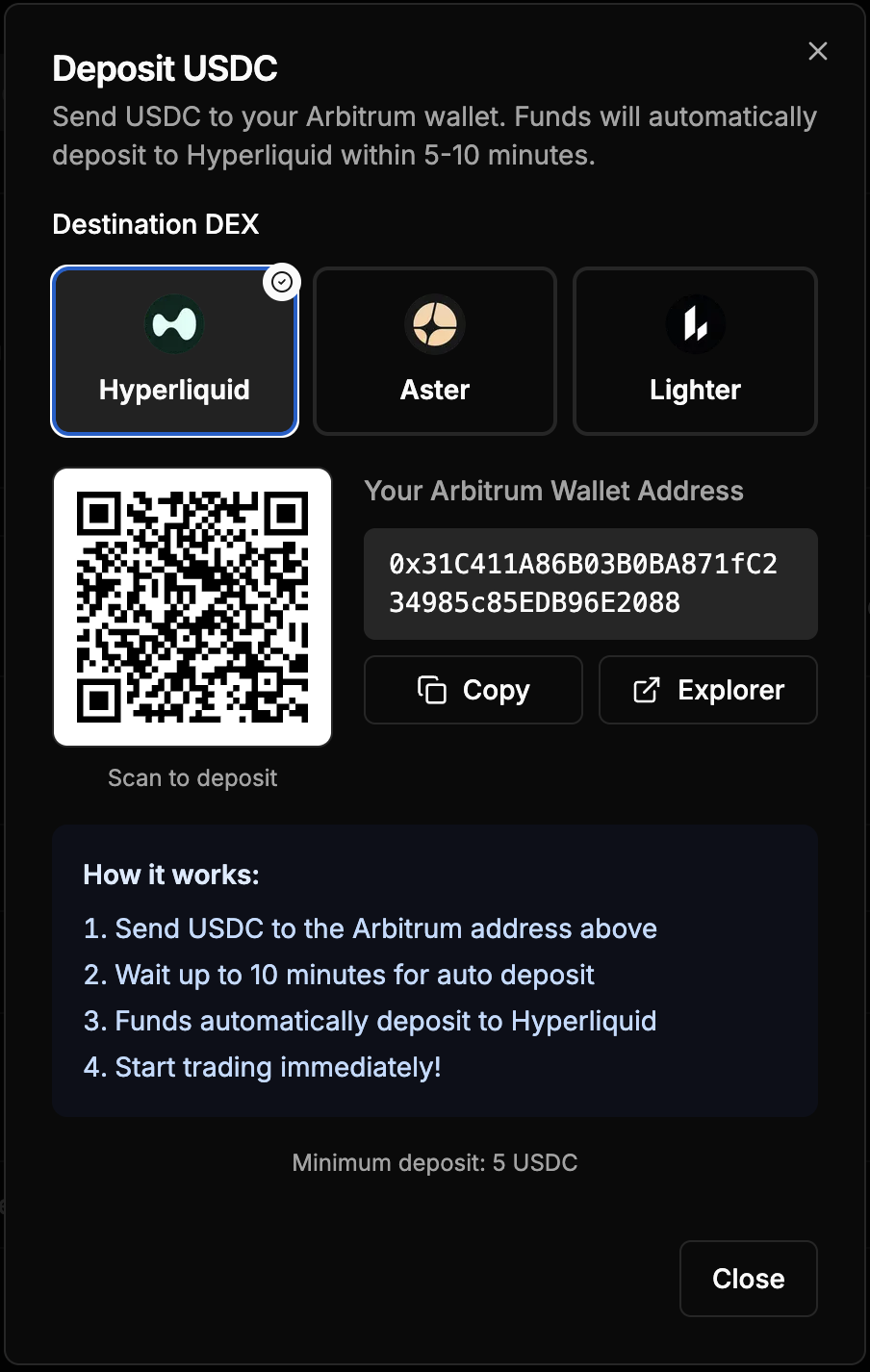
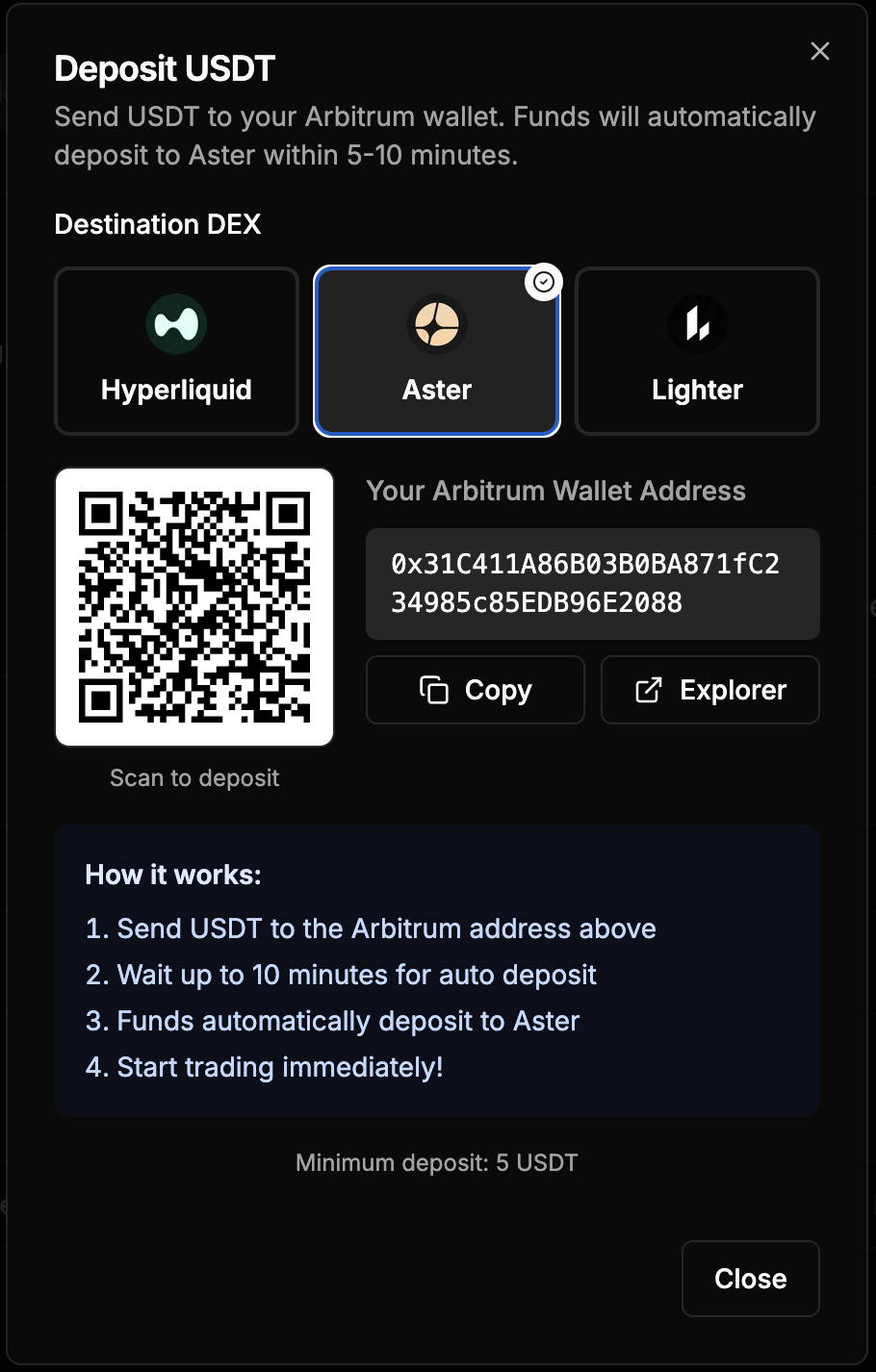
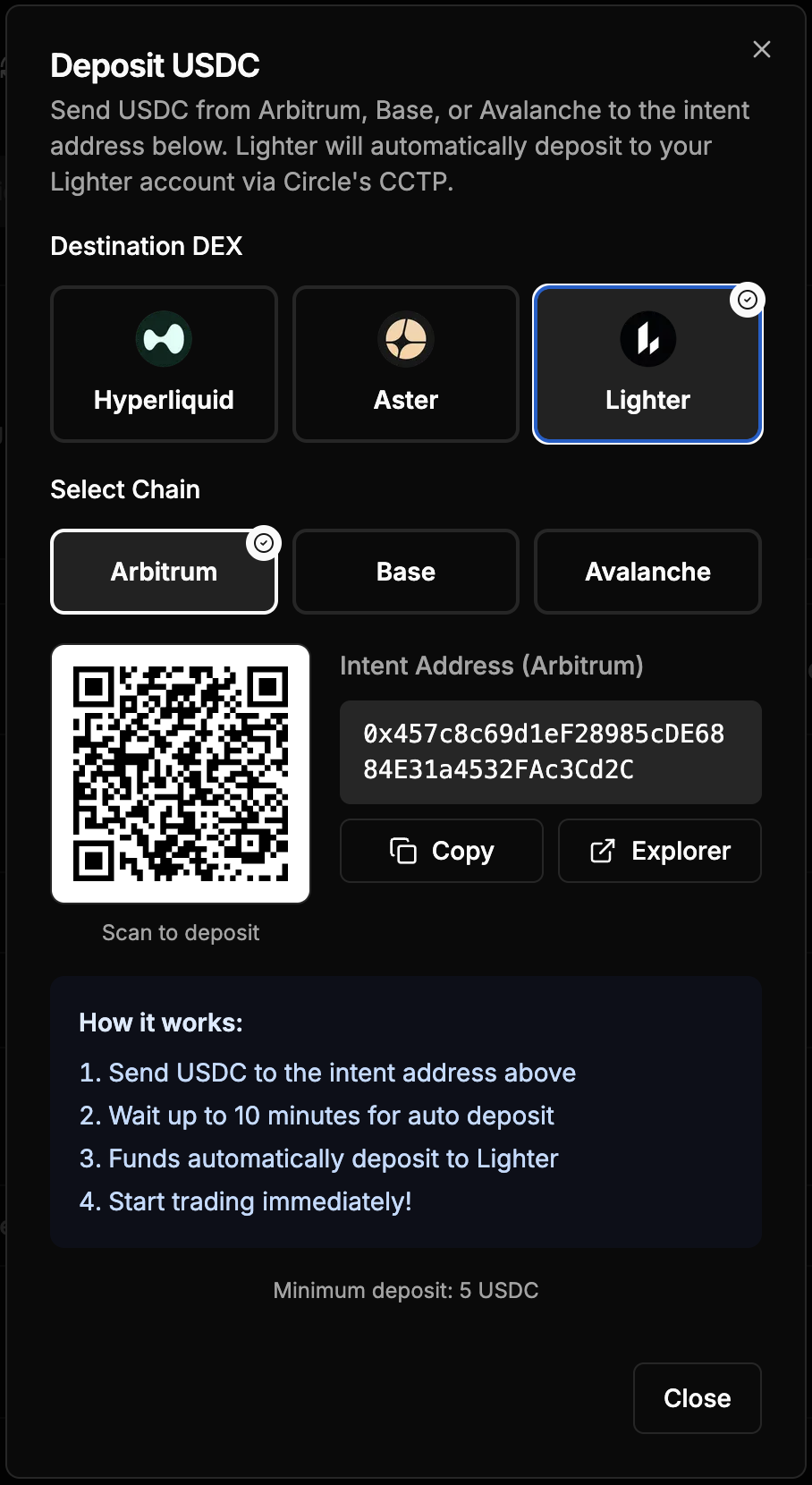
Step 3: Get your deposit address
For Hyperliquid and Aster:
Your Arbitrum wallet address is displayed with a QR code. This is your permanent deposit address.
For Lighter:
Select your source chain (Arbitrum, Base, or Avalanche). An intent address is generated for that specific chain. This address routes funds through Circle's CCTP to your Lighter account.
Step 4: Send tokens
Send the minimum required amount or more:
- Hyperliquid: Minimum 5 USDC
- Aster: Minimum 5 USDT
- Lighter: Minimum 5 USDC
You can:
- Copy the address and paste into your wallet
- Scan the QR code with a mobile wallet
- Click Explorer to view the address on a block explorer
Step 5: Wait for auto-deposit
The system automatically detects your incoming transaction and deposits funds to the DEX:
- Hyperliquid: 5-10 minutes
- Aster: 5-10 minutes
- Lighter: Automatic via CCTP
No manual confirmation needed. Funds appear in your DEX balance automatically.
Deposit methods by DEX
Hyperliquid deposits
Token: USDC
Chain: Arbitrum
Process: Send USDC to your Arbitrum wallet address. The balance monitor detects incoming USDC and automatically calls Hyperliquid's deposit function using ERC20 Permit for gasless deposits.
Time: 5-10 minutes from transaction confirmation
Aster deposits
Token: USDT
Chain: Arbitrum
Process: Send USDT to your Arbitrum wallet address. The system detects incoming USDT and deposits to your Aster account.
Time: 5-10 minutes from transaction confirmation
Lighter deposits
Token: USDC
Chains: Arbitrum, Base, Avalanche
Process: Send USDC to the generated intent address for your chosen chain. Lighter uses Circle's CCTP (Cross-Chain Transfer Protocol) to automatically bridge and deposit funds.
Time: Automatic via CCTP
Note: Each chain has a unique intent address. Make sure to use the correct address for your source chain.
Important notes
Minimum Amounts: Deposits below the minimum may not be processed automatically. Always send at least the minimum required amount.
Correct Token: Send the exact token required by each DEX. Sending the wrong token may result in loss of funds.
Correct Chain: For Lighter, ensure you send from the chain you selected. For Hyperliquid and Aster, only send from Arbitrum.
First Deposit: Your first deposit to Hyperliquid automatically creates your account on the DEX. Subsequent deposits are faster.
Troubleshooting
Deposit Not Showing: Wait up to 10 minutes. If still not showing, check that you sent the correct token to the correct address on the correct chain.
Wrong Token Sent: Contact support immediately. Do not send additional funds.
Below Minimum Amount: The system may not process deposits below the minimum. Send an additional transaction to meet the minimum.
Support
Need help with deposits?
- Discord: discord.gg/Fz7aDWkp
- GitHub: github.com/b3x-ai