Account Recovery
Export your wallet's private key to maintain access to your funds even if you lose email access or B3X becomes unavailable.
Your private key gives complete control over your wallet and funds. Never share it with anyone, including B3X support.
Export Your Private Key
- Go to Settings → Wallet Security
- Click Export next to "Export Private Key"

- Click Copy key to copy your private key
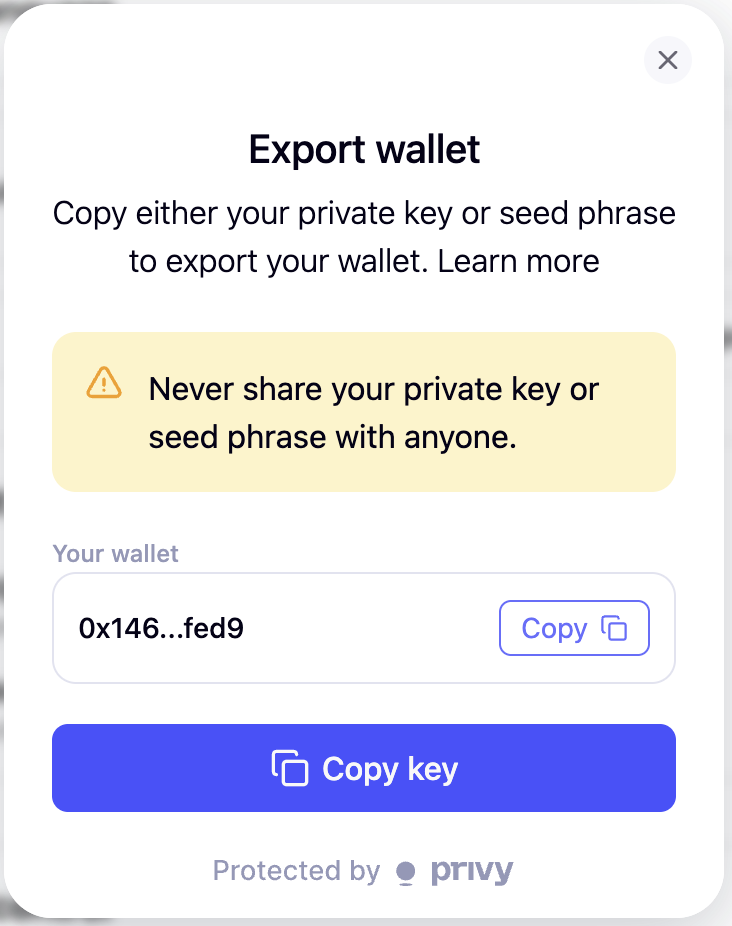
- Store it securely offline (password manager, paper backup, or hardware wallet)
Never store your private key in:
- Cloud storage (Google Drive, Dropbox, iCloud)
- Email or messaging apps
- Screenshots or plain text files
Recovery Scenarios
Lost Email Access
- Import your private key into MetaMask
- Access your funds directly on DEXs
- Create a new B3X account with a different email
- Transfer funds to your new wallet
New Device
Sign in to B3X with the same email. Privy automatically restores your wallet.
B3X or Privy Unavailable
Import your private key into MetaMask to access DEXs directly (Hyperliquid, Aster, Lighter).
Import to MetaMask
- Open MetaMask → Click account icon → Import Account
- Select Private Key → Paste your private key → Import
- Verify the wallet address matches your B3X wallet
Security Checklist
Private Key:
- ✅ Export immediately after account creation
- ✅ Store in multiple secure locations
- ✅ Test recovery with small amount first
- ❌ Never share with anyone
- ❌ Never store in cloud or unencrypted files
Email Security:
- Enable 2FA on your email
- Use strong, unique password
- Keep recovery options updated
Important Notes
Non-Custodial Wallet: B3X and Privy cannot access your private key. If you lose both your email and private key, your funds cannot be recovered.
Same Wallet Address: Your wallet address is permanent and tied to your email. You cannot change it without creating a new account.
Always Accessible: Even if B3X goes offline, you can access your funds using your private key in any compatible wallet.
Support
- Discord: discord.gg/Fz7aDWkp
- GitHub: github.com/b3x-ai