Managing copy trading
Monitor, control, and optimize your active copy trading configurations with real-time performance tracking and flexible management controls.
Viewing configurations
Navigate to the Copy Trading page to see all your configurations with their status, settings, and last activity.
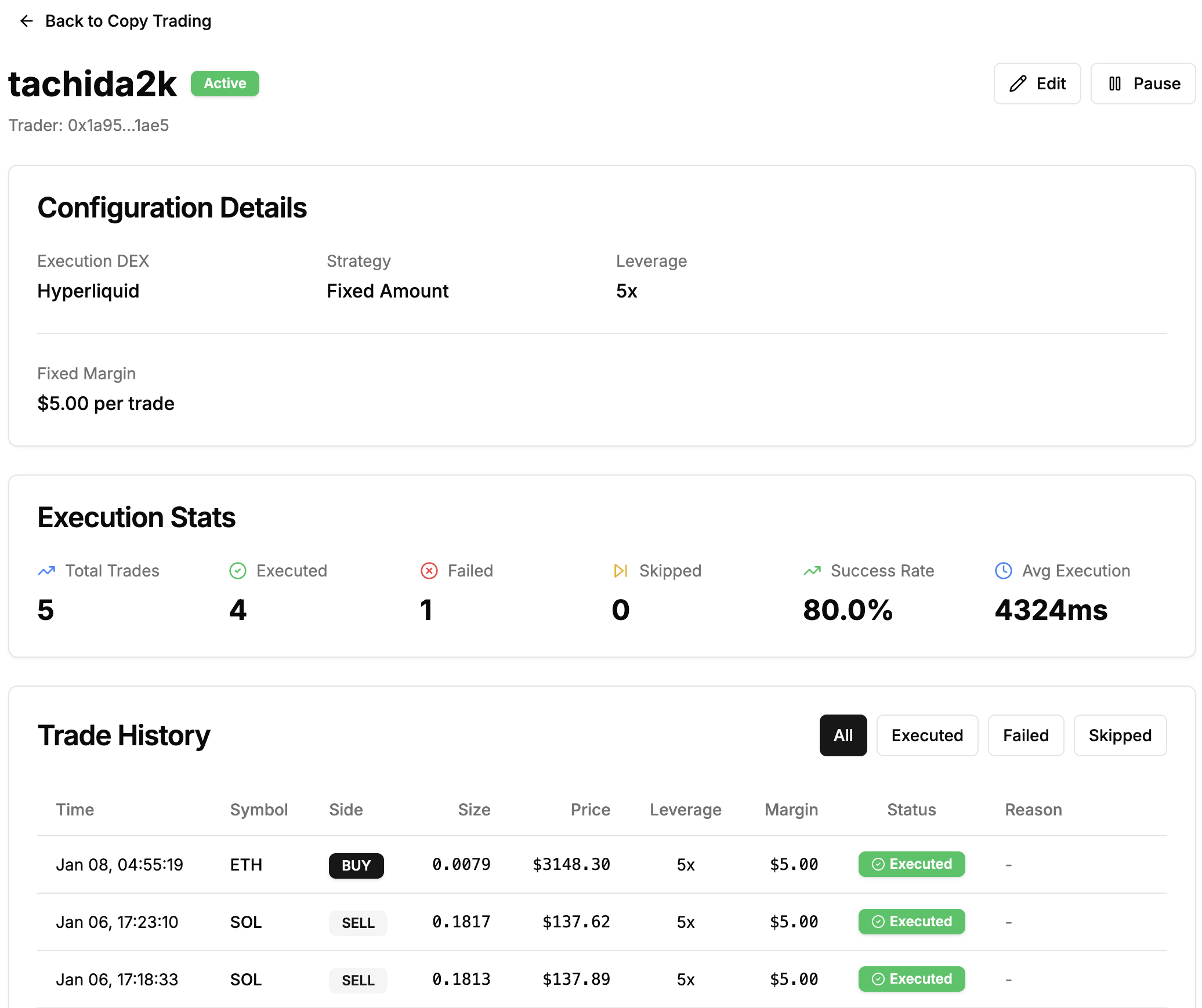
Status:
- Active (green): Copying trades automatically
- Paused (yellow): Temporarily stopped
- Inactive (gray): Disabled, can be reactivated
Configuration controls
Pause: Temporarily stop copying. System unsubscribes from trader's feed. Existing positions remain open.
Resume: Restart a paused configuration. Can only resume if no other active config on the same DEX.
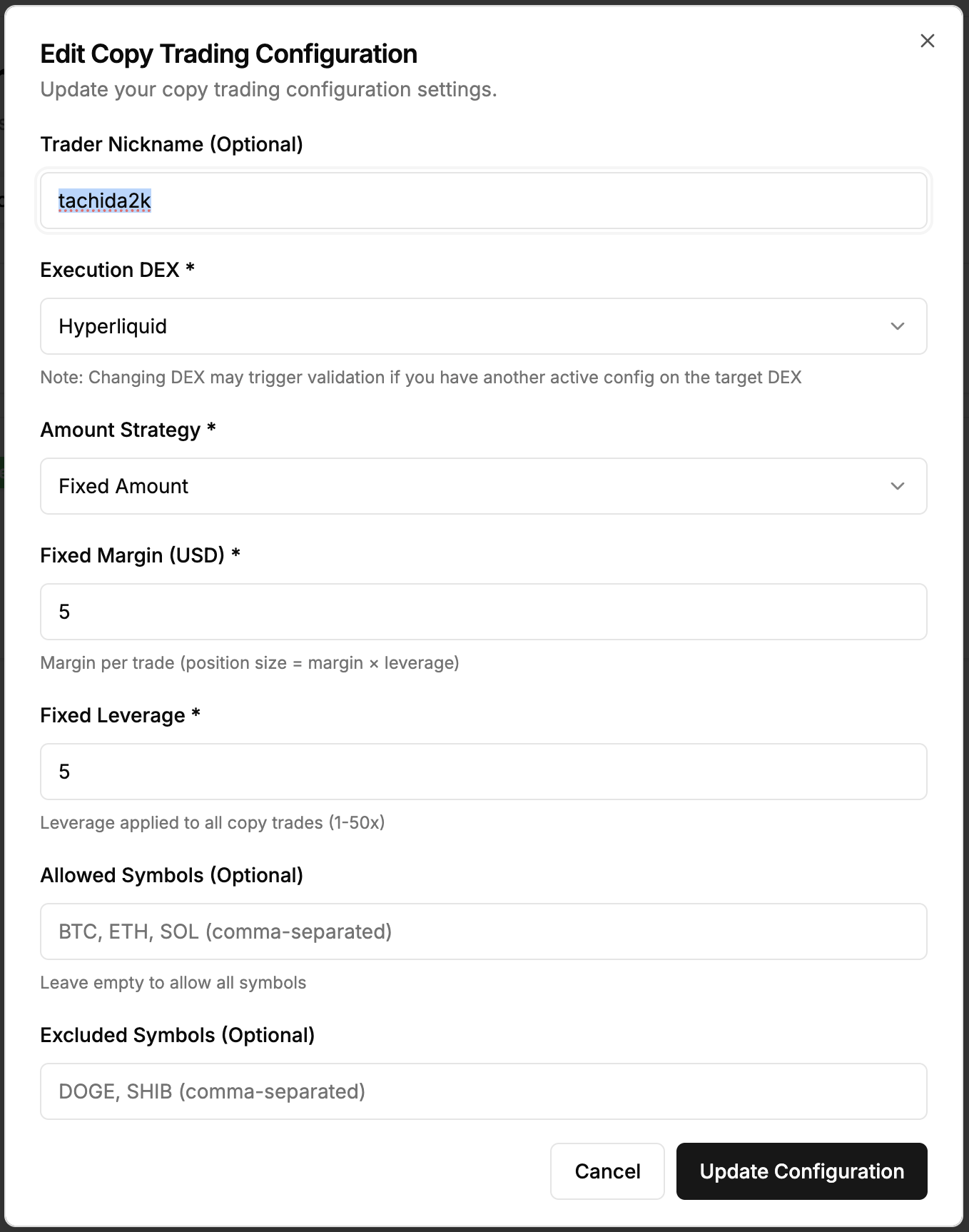
Edit: Modify nickname, amount strategy, sizing, filters, or leverage. Changes apply to future trades only. Cannot change trader address or execution DEX.
Delete: Permanently remove configuration. Trade history is preserved but existing positions require manual management.
Trade history
Each configuration tracks all copied trades with execution details.
Trade Status:
- Executed: Successfully copied and order placed
- Failed: Attempted but failed (error message shown)
- Skipped: Detected but not copied due to filters
Columns: Detected time, symbol, side, trader size, your size, price, status, execution time (ms)
Filtering: View by status, symbol, or date range to analyze performance.
Performance metrics
Total Trades: Detected, executed, failed, and skipped counts
Success Rate: (Executed / Total) × 100%
Average Execution Time: Mean time from detection to order (typical: 200-500ms)
Total Cost: Sum of all executed trade values in USD
Per Trade: Cost (Size × Price), execution time, and size comparison
Monitoring tips
Daily: Check that trades are executing, review failed trades, monitor success rate
Weekly: Analyze executed vs skipped trades, verify filters work as intended, assess capital allocation
Adjust: Modify settings based on trader's strategy changes, your risk tolerance, or performance results
Balance: Maintain adequate funds on execution DEX with buffer for multiple trades and fees
Troubleshooting
No Trades Copying: Verify config is active, trader is trading, filters aren't too restrictive, and you have sufficient balance.
High Failure Rate: Check balance, review error messages, verify API keys (Aster/Lighter).
Unexpected Sizes: Review amount strategy, leverage, and asset price at execution.
Skipped Trades: Check skip reason in trade history and adjust filters if needed.
Multiple configurations
Create configs for multiple traders but only one can be active per DEX at a time. Pause one and resume another to switch traders on the same DEX. You can copy different traders on different DEXs simultaneously for diversification.
Compare Performance: Test multiple traders for a period (e.g., 1 week each) and compare success rate, execution time, and capital efficiency to find the best performer.
Next steps
Successfully managing your copy trading?
- Best Practices - Optimize your strategy
- Configuration - Review setup options
- Finding Traders - Discover new traders
Support
Need help managing your configurations?
- Discord: discord.gg/Fz7aDWkp
- GitHub: github.com/b3x-ai